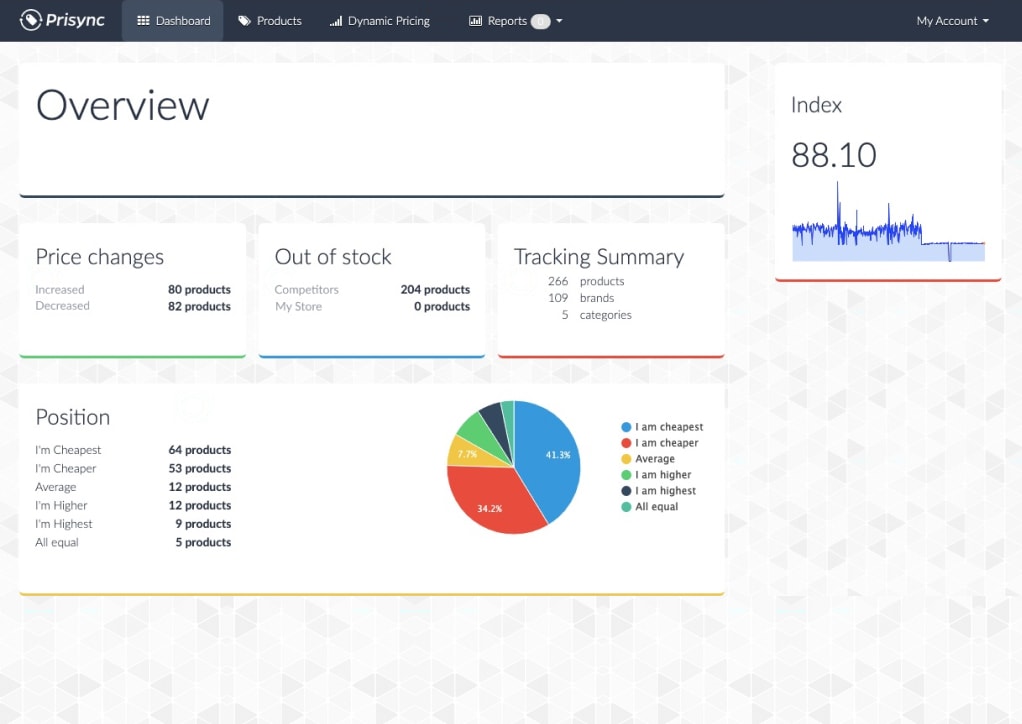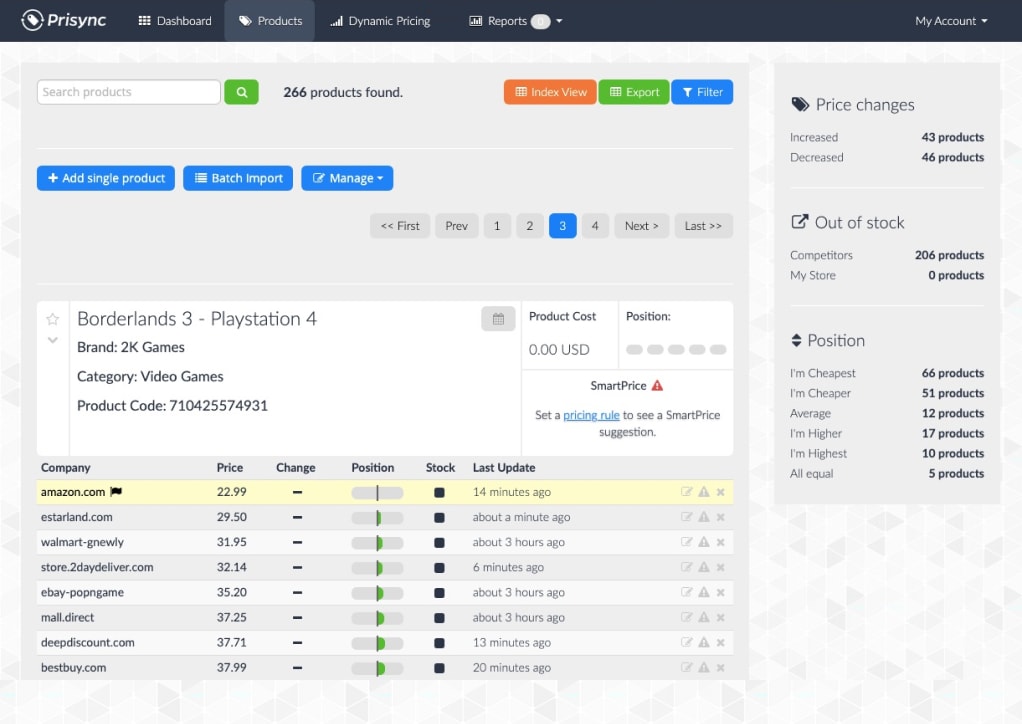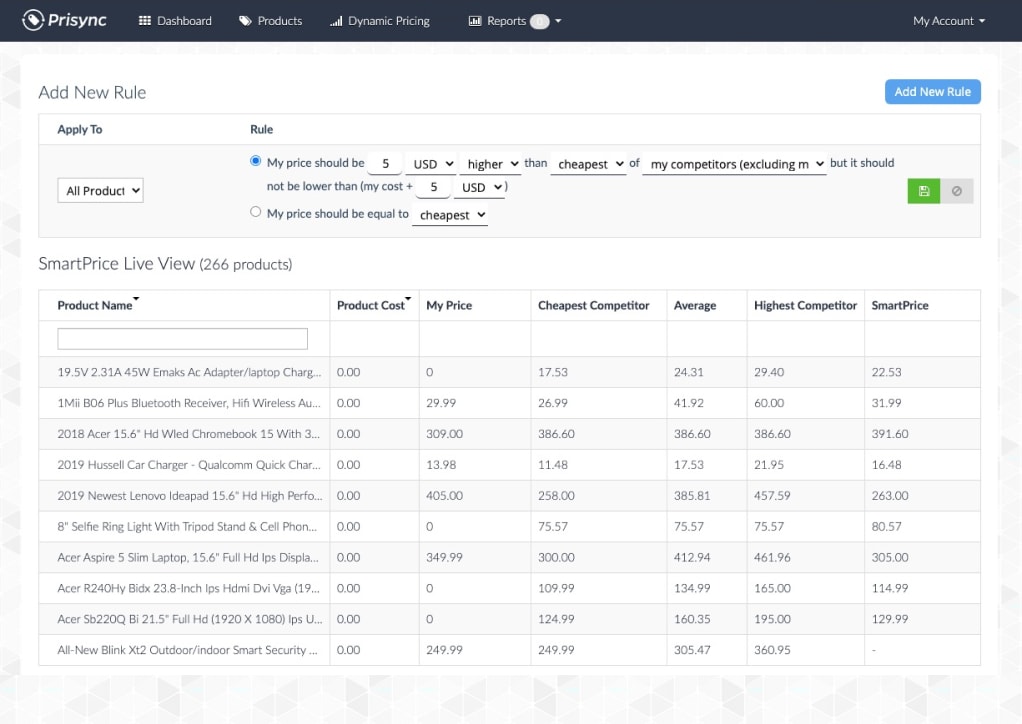


We track unlimited competitors and automate pricing

✓ No credit card required ✓ 14-day free trial
Competitor Price Tracking & Price Monitoring and Dynamic Pricing will solve your profitability problems on all sales channels.
Competitor price tracking and pricing optimization from a single dashboard. Import all your products with one click now.
Automated competitor discovery and pricing intelligence. Get higher placement in product search results now.
Competitor price monitoring and price management. Adjust prices automatically in bulk, and maximize profitability.
Our competitor price tracking software gathers every competitor product price and stock availability information you specify into a single and provenly easy to use dashboard.
Tracking competitor prices is no longer a tiresome, labor-intensive, costly, nor inaccurate operation. Here are three of the many reasons why Prisync is the best competitor price tracking & dynamic pricing software in the market.

Don’t take our word for it? Read from the reviews below!
Read from the reviews below why Prisync is the best competitor price tracking & price intelligence tool in the market.


Choose the service that fits you best. Try any plan free for 14 days. Cancel anytime. No credit card required.
URL Based Competitor Monitoring allows you to add competitor URLs one by one or simply in bulk per product.
This path is recommended for store owners who tend to have a less dynamic competitor listing.
* API access will be charged for an extra 20% on top of your monthly subscription fee.
** Competitor matching service is available to order.
*** Need to track over 5000 products? 💬 Start chatting for your specific use case.
Channel Based Competitor Monitoring allows you to stay up-to-date with competitors by keeping a particular focus on specific sales channels. It ensures you track all your competitors on your sales channels, including the ones you have never heard of.
* API access will be charged for an extra 20% on top of your monthly subscription fee.
** Competitor matching service is available to order.
*** Need to track over 5000 products? 💬 Start chatting for your specific use case.
The Hybrid Model is a comprehensive solution allowing you to monitor your preferred sales channels and must-track URLs that are inactive on those channels. It powers up your pricing intelligence with 360 coverage.
* API access will be charged for an extra 20% on top of your monthly subscription fee.
** Competitor matching service is available to order.
*** Need to track over 5000 products? 💬 Start chatting for your specific use case.
! Daily price change notifications for the products that come from channels. Instant e-mail notifications for the price changes of manually added competitors.
!! Prices are updated daily for the products that come from channels. The prices of manually added competitors will be updated 3 times a day.
90% of online shoppers say they actively compare deals before making a purchase. 60% of shoppers say that pricing is the key factor when making a purchasing decision. And nearly 50% of consumers only purchase discounted products. If you’re still thinking if pricing affects sales or profit, you’re already leaving money on the table. Take action today!
Competitor price tracking & price monitoring software is a service that transforms how businesses strategize for growth. It replaces legacy systems and manual workflows where a team of qualified people used to spend most of their time entering and updating their competitors' pricing data and compared it with their product assortment in a giant spreadsheet. The analysis and reporting part was a mess because maintaining and understanding the data was no easy task. Countless hours and most importantly human potential was lost doing all these. And there were still a lot of errors due to manual work. This led to a chain of unfortunate actions. Faulty data led to poor decision making and it resulted in the loss of both real-time and potential revenue. Nearly 83% of companies still work this way in the early stages of AI and ML, the only way to move forward to becoming profitable is by using Prisync.
Price is one of the key criteria affecting the purchasing decision of consumers and if your business is in a vertical where pricing is important, then having a competitor price tracking & price monitoring software will take you much ahead in the game. Not only will you know your competitors' prices but also change your own dynamically so it will be hard for your rivals to follow your movements. Eventually, you'll have more control over your market, make better decisions, and increase revenue.
Prisync has developed its way to be an extremely flexible, accessible, and easy way for monitoring and managing prices for any size of company. This happened by listening to our customers and potential buyers from day 1 since 2013. That's how we've become the highest-rated company in popular B2B software vendors like Capterra and G2.
Absolutely yes! Our pricing engine works on-demand for any country or market vertical. Our users simply define their competitors they want to cover and monitor, and our flexible technology starts delivering data from any market in minutes.
Definitely not! Prisync is a self-service product that requires no integration or technical operation beforehand. We provide a very easy-to-use online dashboard where you can access from anywhere in the world with an internet connection and browser.
Of course! We strongly encourage you to have an in-depth 14-day free trial where you can access to Prisync's complete set of competitor price tracking & monitoring software without any limits. During the free trial, our team will be in touch with you to help you evaluate Prisync better for your business just in case if you need any improvements to speed things up.
Hundreds of companies across the globe trust Prisync’s competitor price tracking & price monitoring software on increasing their competitiveness, sales, and profit margins.





















Don’t lose customers for better prices anymore! Try before you buy. 14 days for free. No credit cards or contracts needed.